
Who Holds Your AI Keys?
A practical custody test for outside AI tools

Executive decision: Pick one production AI workflow with a provider key stored in an outside tool. Assign a business owner and a technical owner. Confirm where the key lives, what it can do, who receives unusual-spend alerts and how it can be replaced. Approve wider access only after a supervised recovery test and a signed exception record.
If an outside tool holds your AI key, you should be able to name the person who can pull it back.
The signal this week
BleepingComputer reported on October 19 that OpenCode told users that API keys they had linked to external AI providers were exposed. The article names Anthropic, OpenAI and Google as the providers involved. It says a project maintainer described the incident as affecting 1.4% of OpenCode Console users.
Some users reported unauthorized charges, from several hundred dollars up to more than $1,700. Some said Google suspended their cloud projects over activity it flagged as abusive. Those are user accounts. They don't add up to an audited loss total, and the article doesn't offer one.
This is a single-outlet report and we haven't seen OpenCode's own notice. The article says OpenCode hadn't answered BleepingComputer's questions when it was published. To check the facts yourself, read the article and then look for OpenCode's own statement.
The lesson doesn't depend on the final count. When you link a provider key to an outside console, that console becomes one more place the key is stored and one more route through which it can be used. The provider account and the usage bill still belong to you. A prompt can't revoke a key or cap what it costs you.
What the sources show and don't
Three public guidance sources point the same way, and none of them is about this incident.
OWASP's Secrets Management Cheat Sheet describes a secret lifecycle of creation, rotation, revocation and expiration. It applies least privilege, calls for auditing and says a fast response to exposure is among the most critical parts of secrets management.
Google Cloud's guidance on API keys warns that publicly exposing a key can lead to unexpected charges or unauthorized access to data. It recommends restrictions, usage monitoring and periodic rotation. Microsoft Learn's guidance for Azure Key Vault secrets suggests keeping ownership details in secret tags, rotating regularly and setting up logging and alerts.
All three are general guidance. None of them shows that the card and drill below reduce losses, and none of them sets a one-hour standard.
One record for each material integration
Keep a five-part custody record for every integration that holds a material provider key: the credential owner, the outside holder, the allowed scope, the spend observer and the recovery path. Note the data the tool can reach and the actions it can take.
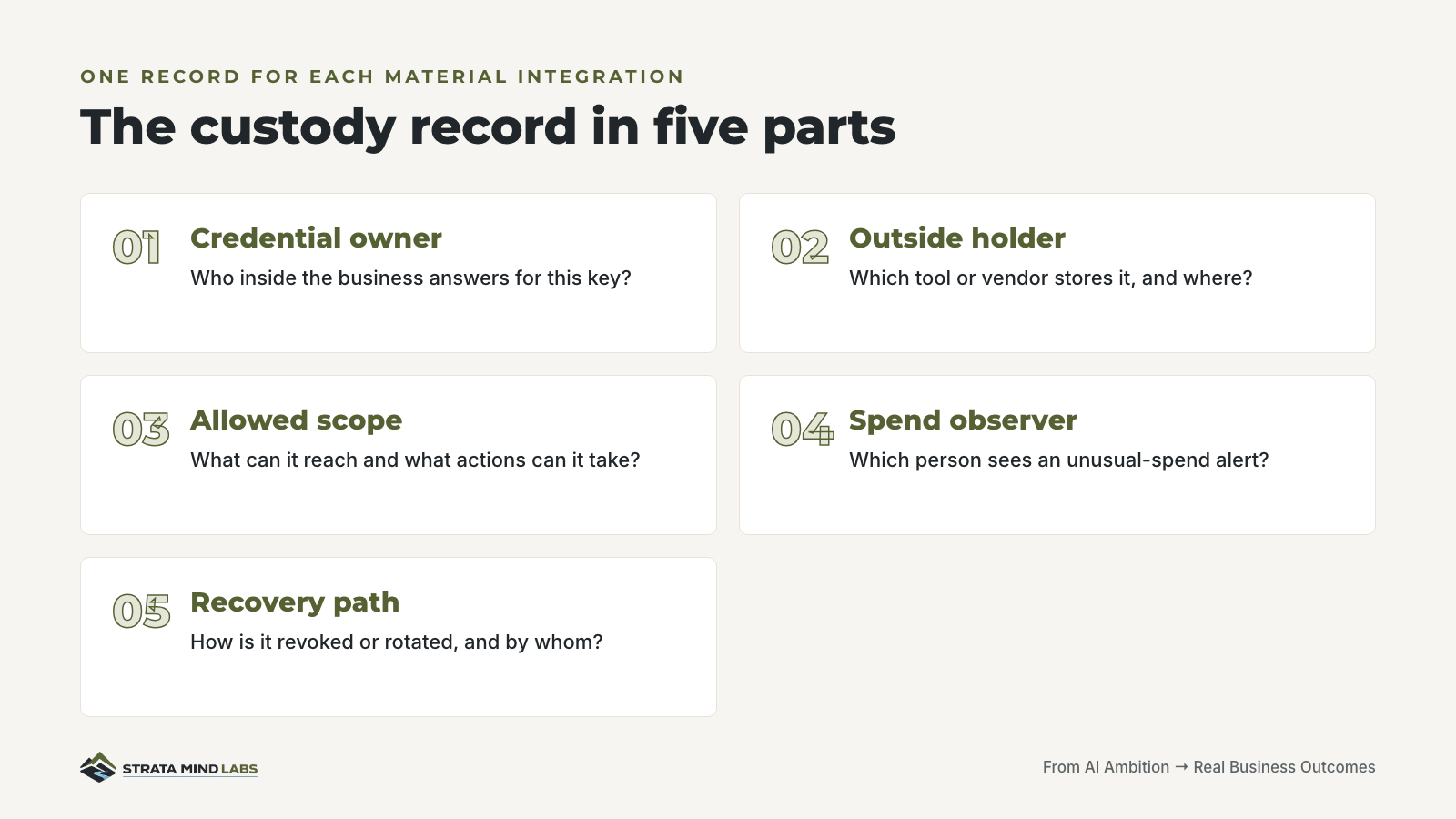
If the provider supports restrictions or short-lived credentials, test them. If a feature isn't available, mark the gap and have the owner accept or reject it in writing.
The strongest objection is overhead. A small team may have one administrator and no time for another register. So keep the first test to one workflow. The record only matters if its owner can run the recovery path under pressure.
One workflow, one recovery drill
Choose one production integration. The technical owner inventories where the key is stored and what it can reach, without writing the secret value into the record. Finance identifies the billing account and the person who receives the alert. The business owner defines which actions need human approval.
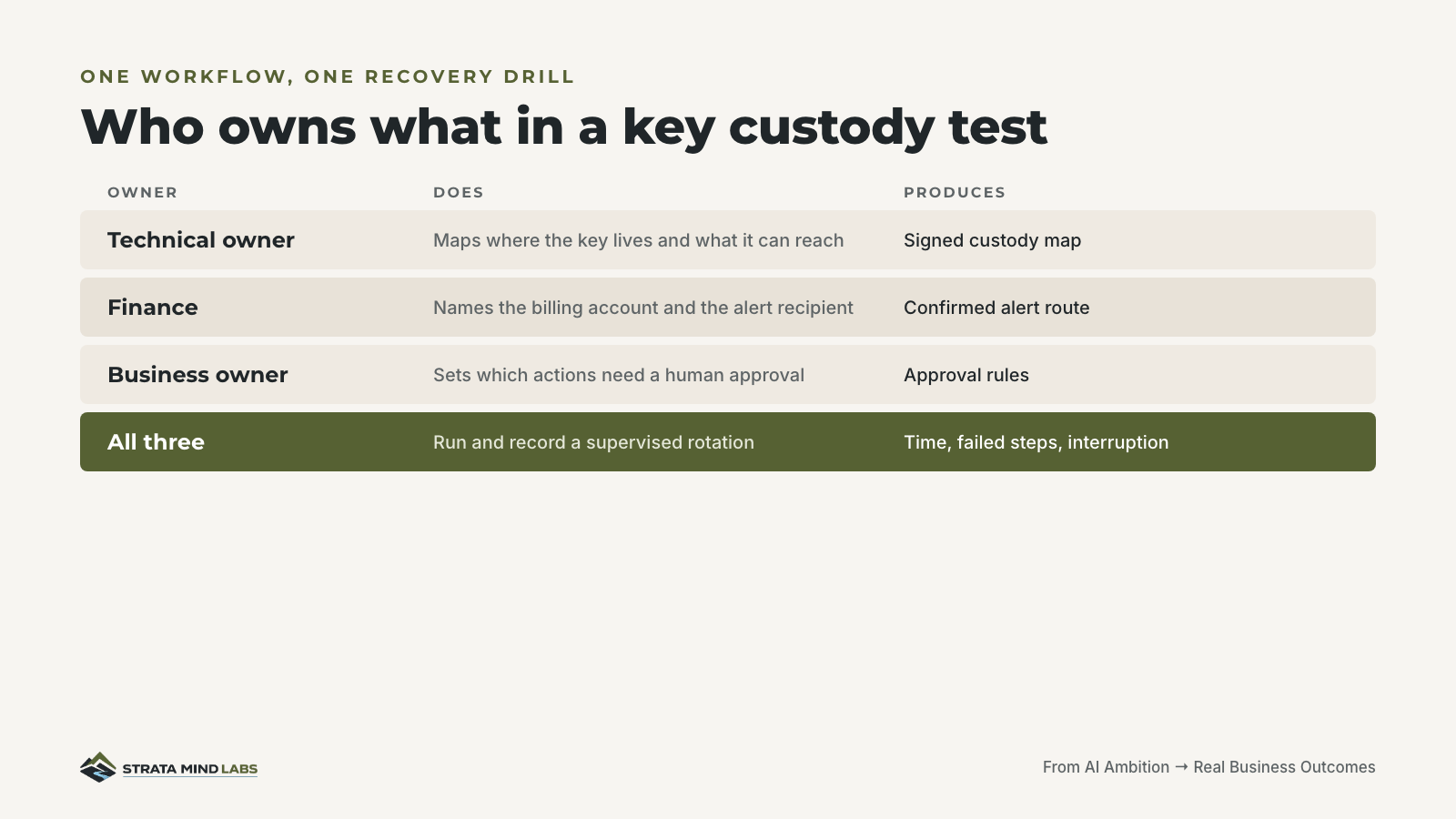
Then, in a controlled window, rotate a test key or a live one using the vendor's supported path and confirm the workflow resumes. Record the elapsed time, the failed steps and any service interruption.
Our proposed pass condition: the owner can find the outside holder, revoke or rotate the credential within one hour, restore the workflow and show that an unusual-spend alert reaches a person. That target is SML's proposal for a local test, not a published benchmark. If a live drill risks the service, use a sandbox and write down what it left unproved.
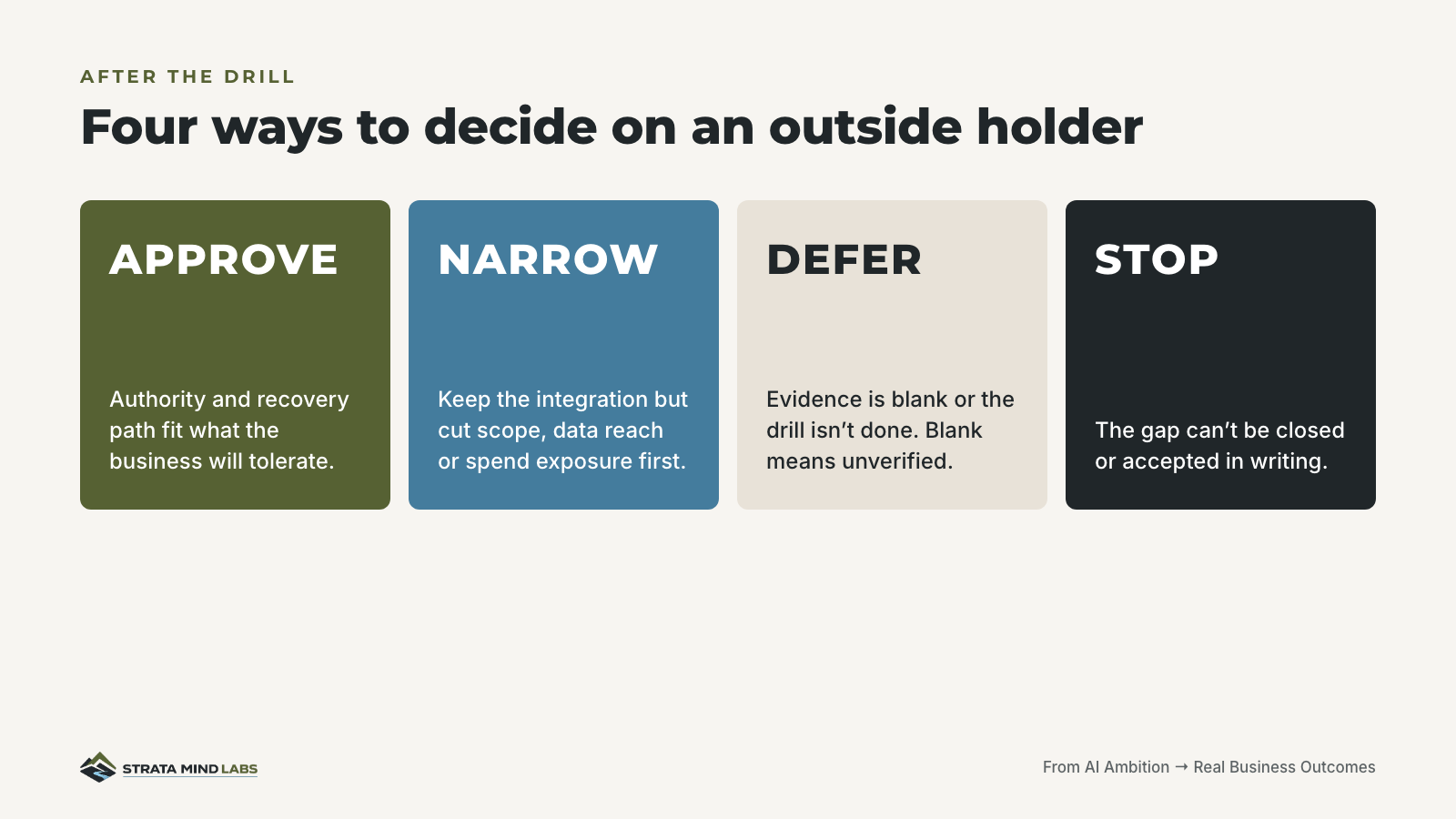
When the drill is done, the business owner makes one of four calls.
Five prompts to run this week
Use these in order. Feed them redacted records only and never paste a secret value into a model. A person verifies every result before anyone signs anything.
Inventory external custody
Copy this prompt
Using only the supplied redacted inventory, vendor contracts and approved integration list, identify each production AI provider credential associated with this workflow, its named internal owner, outside holder, environment and stated purpose. Do not request or reproduce secret values. Mark every missing or conflicting record and cite the input row or document behind each entry.
What this should tell you: whether you know where your keys are. Watch for unmapped credentials, unnamed owners and outside holders with no contract or approved integration record, and check that every entry traces to a supplied row. Decision: the technical owner signs the map or repairs it, and you only continue once it's sufficient.
Bound authority and data
Copy this prompt
Using the verified map from Prompt 1 and supplied provider permission documentation, list each key's effective API scope, permitted environments, reachable company data and action types. Separate documented settings from assumptions. Flag any permission that exceeds the workflow's approved purpose. Do not assert a provider restriction exists without a cited document or observed setting.
What this should tell you: what the key can really do. A key's authority comes from provider and platform settings, not from a prompt. Watch for broad permissions, unverified data reach and missing exports of current settings. Decision: which permissions to narrow before the drill and which gaps the owner has to accept in writing.
Trace spend and alerting
Copy this prompt
Using a redacted billing export, current provider limits and alert configuration for the same key, map the billing account, cost center, budget owner, provider-side controls and first alert recipient. Reconcile one complete billing period. Identify missing thresholds and unassigned charges. Do not infer savings or invent a spend limit.
What this should tell you: whether a person would see unusual spend and know what to do. Watch for alerts with no recipient, limits that exist only as internal policy and charges with no owner, and verify every amount against the source rows. Decision: finance decides whether it can approve the exposure and whether a provider-side control is available.
Rehearse recovery
Copy this prompt
From the verified custody, scope and billing records, draft a supervised key rotation drill for this workflow. Include start conditions, owner, backup, vendor steps, expected service interruption, rollback route, timer, validation check and evidence fields. Use only documented vendor actions. Leave observed duration and outcome blank for the human operator.
What this should tell you: whether the stop path is real or still a hypothesis. Watch for missing vendor steps, an unclear rollback, no backup owner and any instruction that could leak the secret into logs. Decision: run the drill in a sandbox or an approved live window, with a human controlling each action.
Prepare the owner decision
Copy this prompt
Using only signed outputs from Prompts 1 through 3 and the human-recorded drill from Prompt 4, draft a one-page decision card. Separate facts, calculations, inferences and predictions. Show credential owner, outside holder, scope, data boundary, billing alert recipient, observed rotation time, service impact, open gaps and next review date. Leave approval fields blank. Recommend approve, narrow, defer or stop, with conditions.
What this should tell you: whether the integration's authority and recovery path fit what the business will tolerate. Verify the reported time against the drill log and each approver against a human signature, and treat blank evidence as unresolved. Decision: the business owner approves continued use only with finance and the technical owner signing off on any material gap.
What to do this week
A fair limit on all this
One incident is not a frequency. The OpenCode account rests on one outlet, the 1.4% figure is a maintainer statement and the charges and suspensions are user reports. No loss total, attacker identity or cause is established here.
The guidance sources describe general practice. The one-hour target, the five-part record and the five prompts are SML proposed practice. We've measured no local result and we assume no savings or return. The prompts organize the evidence. They can't prove a key is safe, and any vendor control or recovery path you haven't exercised stays unproved.
CIO Question of the Day
If an outside AI tool holding one of your provider keys were exposed tonight, who would revoke it and how long would that take?
Sources
- Toulas, B. (2026, October 19). OpenCode hack exposes API keys amid AI distillation attacks. BleepingComputer. https://www.bleepingcomputer.com/news/security/opencode-hack-exposes-api-keys-amid-ai-distillation-attacks/
- OWASP Cheat Sheet Series. (n.d.). Secrets management cheat sheet. Retrieved October 21, 2026, from https://cheatsheetseries.owasp.org/cheatsheets/Secrets_Management_Cheat_Sheet.html
- Google Cloud. (n.d.). Best practices for managing API keys. Retrieved October 21, 2026, from https://docs.cloud.google.com/docs/authentication/api-keys-best-practices
- Microsoft Learn. (n.d.). Secure your Azure Key Vault secrets. Retrieved October 21, 2026, from https://learn.microsoft.com/en-us/azure/key-vault/secrets/secure-secrets
A prompt can’t revoke a key. Make sure a person can, in under an hour.
New briefings land as soon as the signal is worth your time.