
What If Your AI Actually Works?
Why successful AI adoption can change the cost model
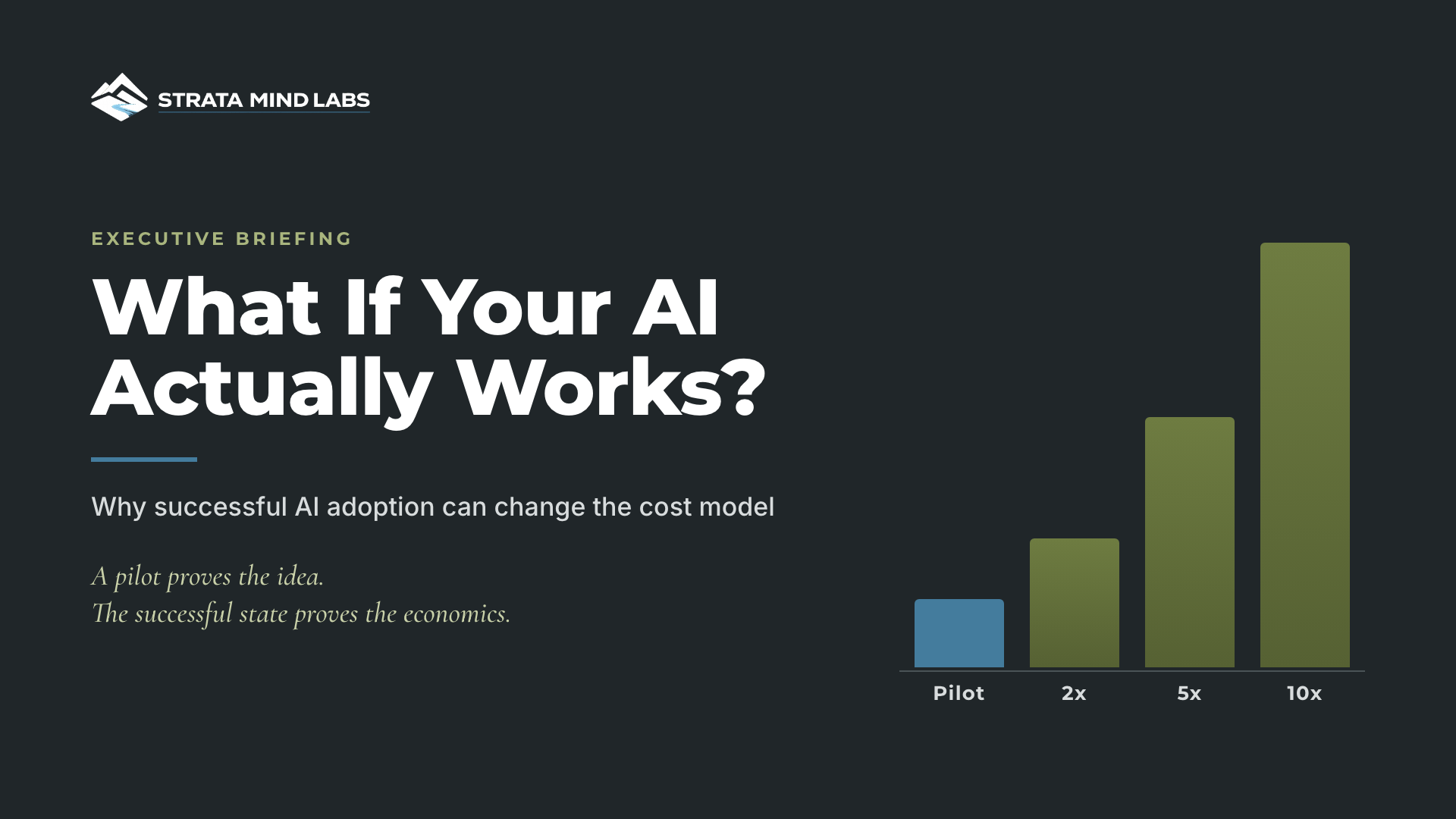
Most AI budgets are built to survive failure. Very few are built to survive success.
That sounds backwards, so let me make it concrete. A pilot answers one question: does the idea work? It doesn't tell you what happens when the business starts depending on it. And the moment people actually adopt a workflow is the moment its cost model changes.
A pilot proves the idea. The successful state proves the economics.
The signal this week
The Information reported this week that Anthropic ends enterprise discounts as soon as customers hit their contracted token usage, which forces a renegotiation or a move to standard rates. Coverage of the same report put the discount at roughly 15% off list and noted that OpenAI gives customers extra time before standard pricing kicks in.
Read that as an operator, not a headline reader. Nobody hits a usage cap on a tool nobody uses. The cliff shows up because adoption worked.
At the same time, AI work is moving from occasional prompts into scheduled, connected, recurring jobs. Shows like Your Everyday AI and AI For Humans spent the week comparing scheduled AI tasks across Claude, Gemini and ChatGPT and describing always-on agents wired into thousands of apps.
Put those together and the budgeting unit moves. It stops being the seat or the pilot. It becomes the operating workload: how often the workflow runs, what it calls, what a person still reviews and which contract thresholds it crosses.
Why pilot cost misleads
Pilot numbers are honest. They're just measuring something else. A few users, light volume, someone clicking run and review that happens over a colleague's shoulder.
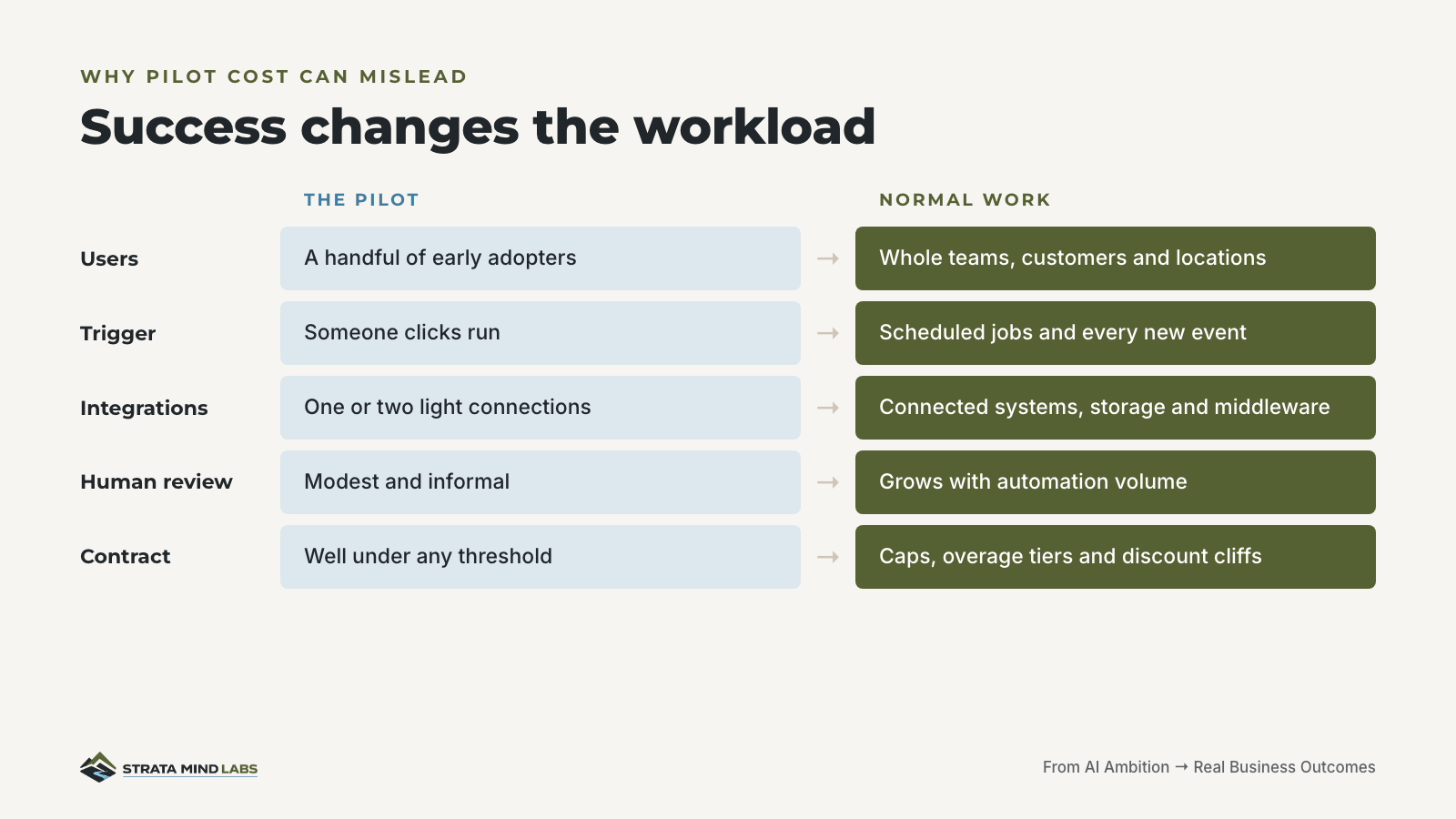
When adoption succeeds, the workload changes shape. Scheduled jobs run without anyone starting them. Every new document or transaction triggers a model call. Storage, connectors, support and review start showing up in places the pilot never touched.
So the planning question isn't "What does this cost today?" It's "What does this cost when it becomes normal work?"
Four questions before you scale
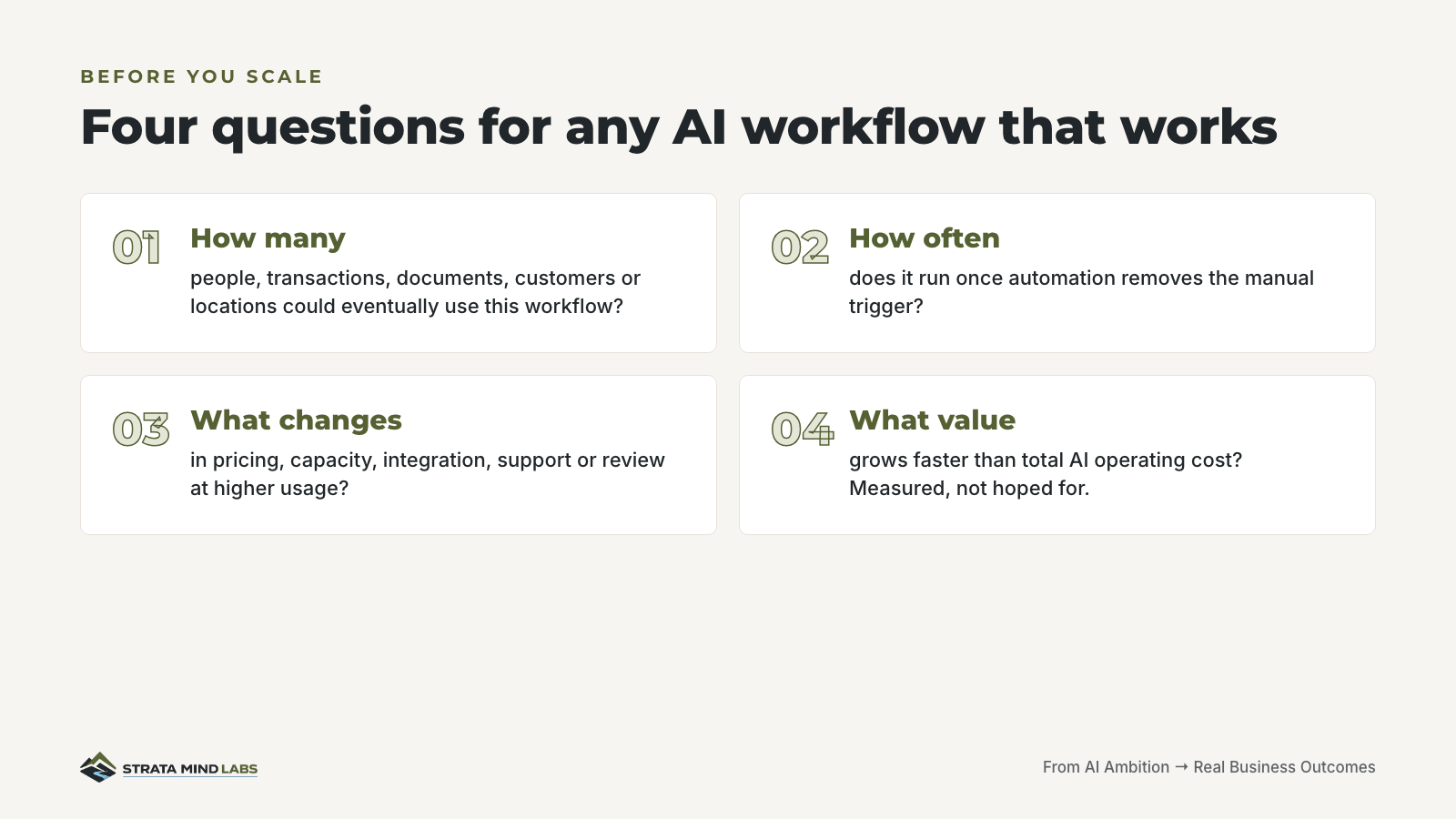
The fourth one is where most business cases go soft. If you can't name the metric that moves with adoption, you don't have a scaling case. You have enthusiasm.
Count the whole operating cost
The model bill is the line item everybody watches. It's one of six.
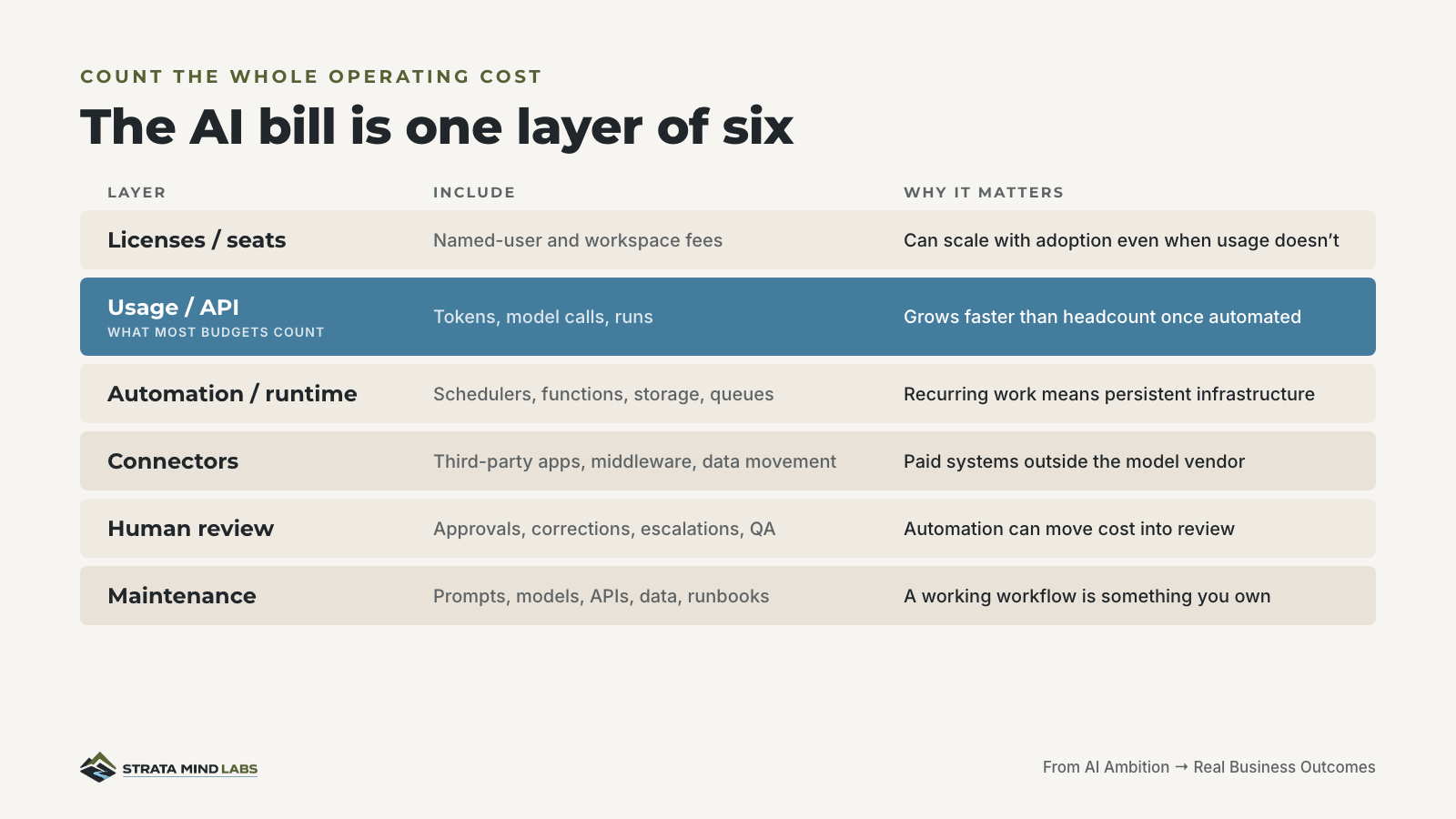
Two layers deserve extra attention. Human review, because automation often moves cost into exception handling instead of removing it. That's the Verification Tax, and it scales with volume. Then maintenance. A workflow that works becomes something the business owns. Prompts drift, APIs change and somebody has to keep the runbook current.
Stress-test the version that works
Take one workflow that already earns its keep. Model it at 2x, 5x and 10x current usage. Use real vendor terms and measured baselines.
If you don't have a number, leave the cell blank. A blank cell is information. An invented one is a liability.
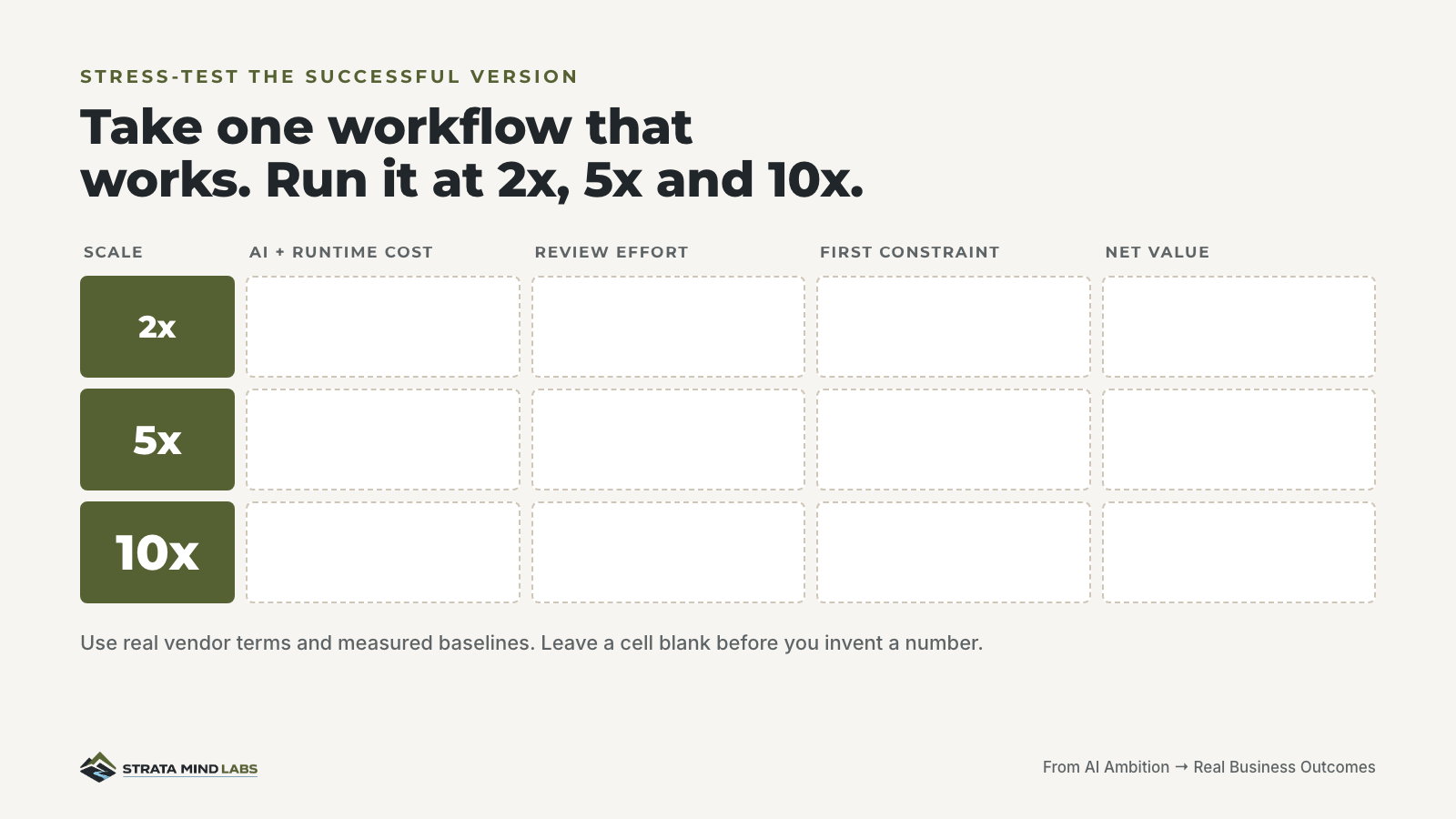
The column that matters most is "first constraint." It's rarely the model bill. More often it's review capacity, an integration limit or a contract threshold nobody read closely.
Decide what the numbers mean before you run them
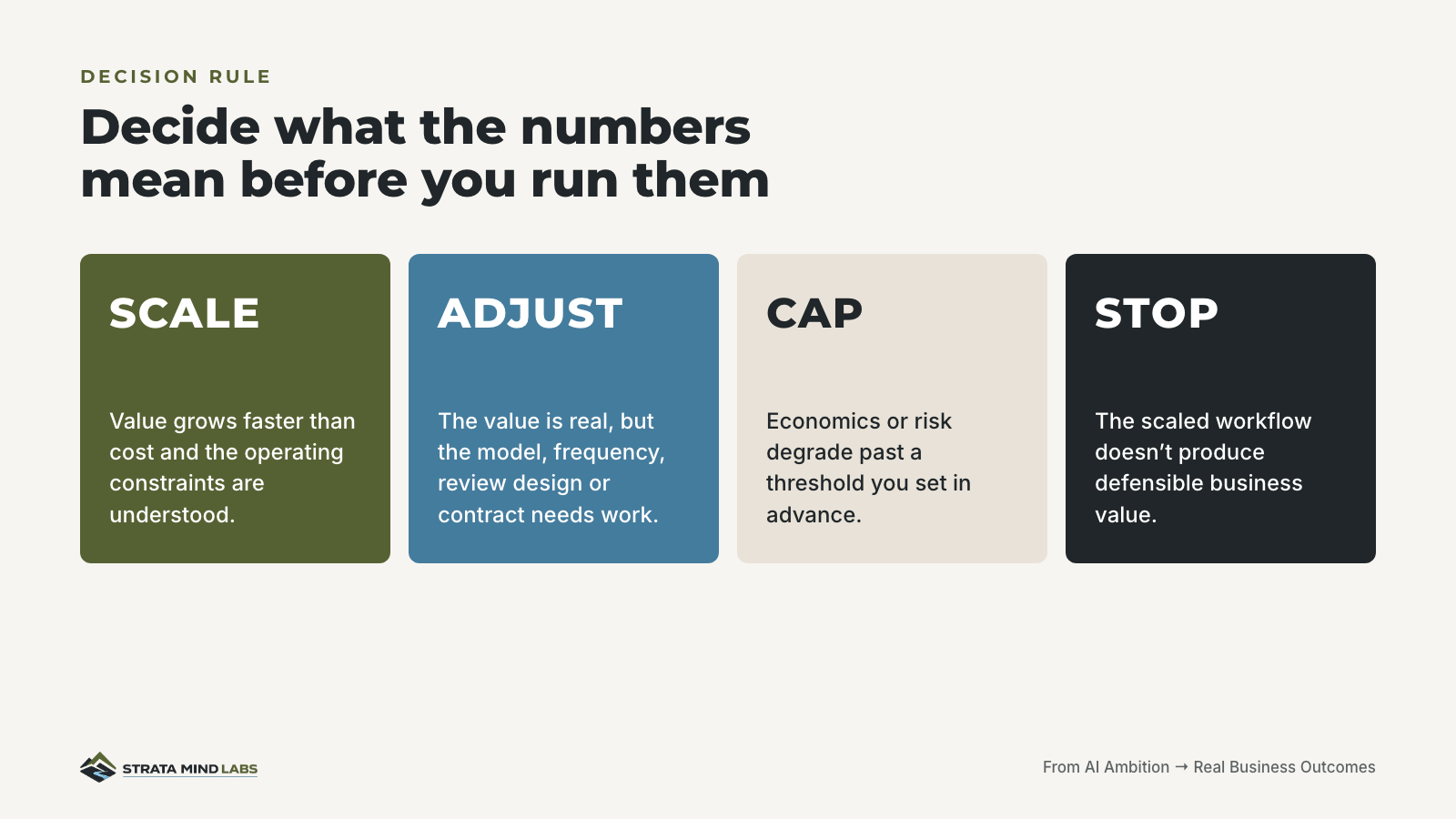
Set these thresholds before the scenarios come back. Otherwise the team that loves the tool will find a reason to scale it and the team that pays for it will find a reason to cap it.
Five prompts to run the first pass yourself
You don't need a consultant for the first pass. These prompts work in any capable model. Run them in order on one real workflow, and hold the line on one rule: the model doesn't get to invent costs or business metrics.
Map current usage
Copy this prompt
I am going to describe one AI workflow we currently use. Organize the information into: users, frequency, triggers, models/tools used, connected systems, human review steps, current monthly cost and any costs I have not accounted for. Do not estimate missing numbers. Flag every unknown.
Model the successful state
Copy this prompt
Assume this workflow succeeds and adoption increases to [X times] current usage. Model how usage could change across users, transactions, workflow runs, API activity, automation frequency, human review and support. Separate direct cost growth from operational assumptions.
Check contract risk
Copy this prompt
Review these AI vendor pricing and contract terms: [PASTE TERMS]. Identify usage caps, discount thresholds, overage rates, minimum commitments, price changes, auto-renewal terms, capacity limits and any conditions that could change the economics as usage grows. Do not infer terms that are not stated.
Calculate value
Copy this prompt
Here are the expected operational benefits: [PASTE METRICS]. Calculate the monthly business value using only the numbers I provide. Compare that with total monthly AI operating cost. Show the assumptions clearly and separate measured value from estimated value.
Stress test
Copy this prompt
Stress-test this AI workflow at 2x, 5x and 10x current usage. For each scenario, show expected AI cost, integration/runtime cost, human review effort, business value, major constraints and net value. Separate known figures from assumptions. Identify the first point where cost, capacity, governance, maintenance or human review becomes a meaningful constraint. Do not invent missing numbers.
What to do this week
A fair limit on all this
This isn't a claim that AI always gets more expensive at scale or that every vendor behaves the same way. The point is narrower. Usage, automation frequency, contract behavior and operating requirements can change materially when a successful pilot becomes normal business activity. The 2x, 5x and 10x method is a planning tool, not a law of the market.
CIO Question of the Day
Which AI workflow in your business is closest to becoming normal work, and has anyone modeled what it costs at 10x?
Sources
- The Information. (2026, October 2). Anthropic moves to cut off discounts when customers hit their cap. https://www.theinformation.com/articles/anthropic-openai-fighting-enterprise-spending
- The Next Web. (2026, October). Anthropic ends discounts once tokens run out, The Information reports. https://thenextweb.com/news/anthropic-openai-enterprise-discounts-tokens-the-information
- Your Everyday AI. (2026, October 2). Scheduling AI: How to easily make AI work for you in Claude, Gemini and ChatGPT [Podcast episode]. https://youreverydayai.com
- AI For Humans. (2026, October 2). AI put Minecraft in Skyrim (and OpenAI had a Dev Day) [Podcast episode]. https://www.aiforhumans.show/
Don't budget the experiment. Budget the version everybody uses.
New briefings land as soon as the signal is worth your time.